FF14 뉴스/이슈
정보 공유
FF14 커뮤니티
FF14 미디어
서버 전용 게시판
공통 커뮤니티
- 오픈 이슈 갤러리
- 오늘의 핫벤
- 오늘의 팟벤
- AI 그림 그리기
- PC 견적 게시판
- 코스프레 갤러리
- (19)무인도는 첨이지?
- 게이밍 주변기기
- 지름/개봉 갤러리
- 게이머 토론장
- 게임 추천/소감
- 무엇이든 물어보세요
- 최근 논란중인 이야기
- 더보기
인기 팟벤
 윈도ce 윈도ce2017-10-06 16:30
조회: 3,158
추천: 0
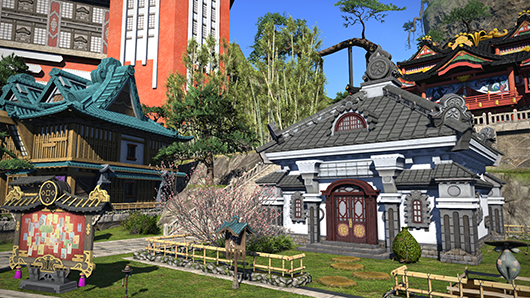
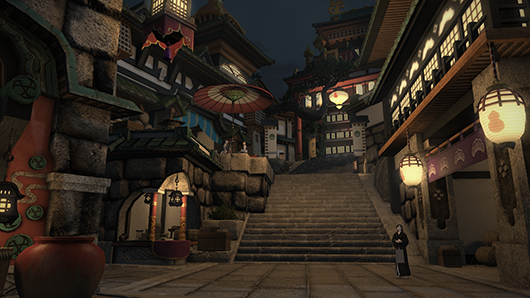
※데이터 주의 4.1 패치 노트 전문 (영문) Patch 4.1 brings a multitude of additions and refinements to the realm. Band together with your friends in search of the legendary land of Ivalice, explore the ancient city of Skalla, or face an old foe in a reimagining of your battle with the legendary dragon Shinryu. Whether you’re relaxing in the new residential area, Shirogane, or testing your mettle in PvP, there’s something for everyone in this exciting new update! FINAL FANTASY XIV Patch 4.1Patch 4.1 contains content that can only be accessed by registering the expansion packs for FINAL FANTASY XIV to your service account. To distinguish between adjustments that are and are not affected by the registration of these expansions, the following notations will be used throughout the patch notes:
|



| Fifth-class Plot | 3,000,000 | |
| Fourth-class Plot | 3,187,500 | |
| Third-class Plot | 3,375,000 | |
| Second-class Plot | 3,562,500 | |
| First-class Plot | 3,750,000 |
- Medium
| Fifth-class Plot | 16,000,000 | |
| Fourth-class Plot | 17,000,000 | |
| Third-class Plot | 18,000,000 | |
| Second-class Plot | 19,000,000 | |
| First-class Plot | 20,000,000 |
- Large
| Fifth-class Plot | 40,000,000 | |
| Fourth-class Plot | 42,500,000 | |
| Third-class Plot | 45,000,000 | |
| Second-class Plot | 47,500,000 | |
| First-class Plot | 50,000,000 |
Minimum Price
- Small
| Fifth-class Plot | 1,488,000 | |
| Fourth-class Plot | 1,581,060 | |
| Third-class Plot | 1,674,000 | |
| Second-class Plot | 1,767,060 | |
| First-class Plot | 1,860,000 |
- Medium
| Fifth-class Plot | 7,936,000 | |
| Fourth-class Plot | 8,432,000 | |
| Third-class Plot | 8,928,000 | |
| Second-class Plot | 9,424,000 | |
| First-class Plot | 9,920,000 |
- Large
| Fifth-class Plot | 19,840,000 | |
| Fourth-class Plot | 21,080,000 | |
| Third-class Plot | 22,320,000 | |
| Second-class Plot | 23,560,000 | |
| First-class Plot | 24,800,000 |
* Pricing is the same for both free company and private estates.
* Purchasing land or housing using gil obtained from RMT (real money trading) or other illicit means is strictly prohibited. Any land or estate hall deemed to have been purchased through such means is subject to seizure.
Building an Estate
In order to build an estate hall on a plot of land, players must first acquire a construction permit. A construction permit can be purchased from the Housing window while on your property. Use the construction permit item while on your property to build an estate hall.
The purchase of construction permits and the building of estate halls are available via the Housing interface under Social in the main menu.

Apartments can be purchased in Shirogane's Kobai Goten building.
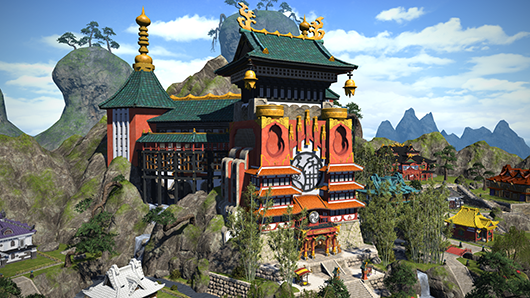
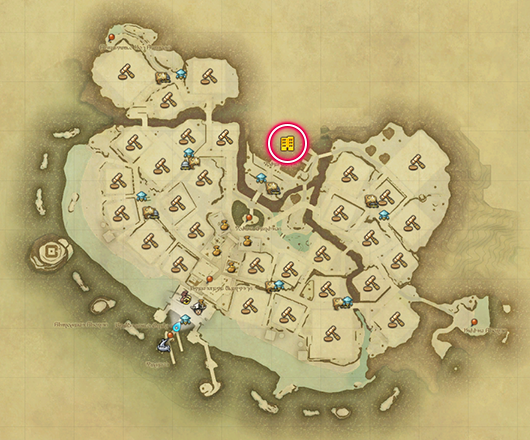
Purchasing an Apartment
Once the requirements below have been met, speak with the apartment caretaker. Each character may purchase one apartment. Players who already own a free company or individual estate hall, or private chambers are still allowed to purchase an apartment. An apartment building may contain a maximum of ninety apartments.
* Players who already own an apartment must vacate before purchasing another.
- Requirements
Apartment Pricing
500,000 gil

The relocation feature has been added for housing.
Relocation allows players to move their estate hall and accompanying furnishings to a new plot. The destination can be situated in any residential area and be of any size.
* When a free company estate hall is relocated, any private chambers present will be relocated automatically.
* It is not possible to use the relocation feature to change from an individual to a free company estate hall, or vice versa.
* Apartments cannot be relocated.
* An explanation of the relocation feature has been added to the resident caretaker in each residential district.
* After relocation the plot is locked for 5 minutes, during which time no relocations can be performed involving that plot.
Eligibility for Relocation
| Free company | Authorized to purchase/relinquish plots | |
| Individual | Estate owner (does not include tenants) |
Relocating to a New Plot
To begin the process, inspect the placard located at the entrance of the destination plot and select Purchase Land. A prompt for relocation will appear, allowing you to move your estate immediately after the purchase is complete. You are not required to relinquish ownership of your old plot prior to relocation. In the case of company estates and estate sharing, all players with access to the estate will receive a notification when the process is complete.
* Only free company members who have been granted authority to purchase and relinquish land can relocate company estates.
* Players who are inside an estate at the time of relocation will be automatically moved outside.
- Interact with the placard and select Purchase Land.
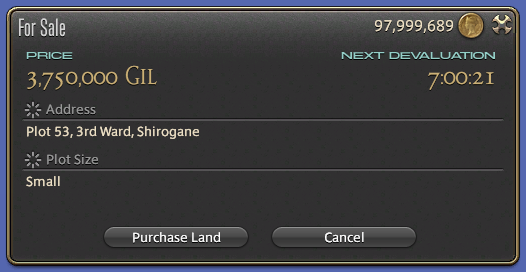
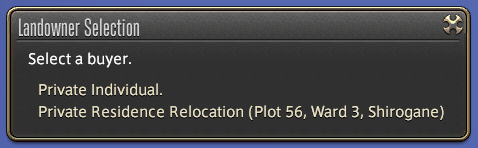
- Choose Private Residence Relocation or Free Company Estate Relocation.
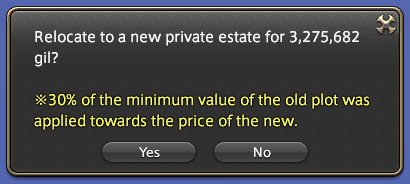
- Once the relocation fee has been accepted, the process is complete.
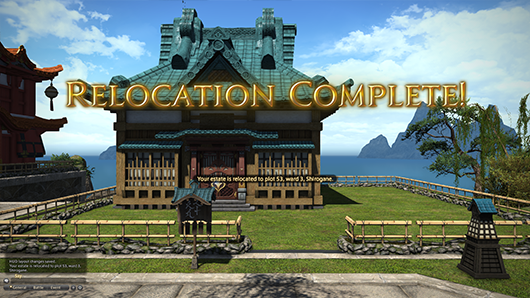
Cost of Relocation
When purchasing a plot for relocation, 30% of the minimum value of your old plot will be applied towards the price of the new one.
(Cost of Relocation) = (Destination Plot Price) – (30% of Old Plot Price)
* In the event reimbursement for the old plot exceeds the price of the destination plot, the cost of relocation will be waived. Please note, however, you will not receive gil for the amount that exceeds the cost of the destination plot.
Furnishings
Upon relocation, placed furnishings including those normally discarded after removal will be put in a storeroom at the destination plot. See below for further details about storerooms.
While the limit of storerooms is normally dependent on plot size, the limit for all plots will temporarily increase as follows to accommodate relocation:
- Indoor Furnishings: 400 Items
- Outdoor Furnishings: 40 Items
Provided that the numbers of furnishings is within these limits, the relocation can be completed even if they exceed the storage limits of the new location. The furnishings will be temporarily kept in the storeroom of the new plot. The furnishing storage limits when relocating are the same as the placement limits for a large estate hall. Therefore, if a player relocates immediately after patch 4.1 and does not use the storeroom prior to the relocation being completed, it is not possible to exceed the limits, regardless of the size of the estate hall.
Please note that chocobo stables and miniature aetherytes will not count toward this limit, as they will be automatically placed in the garden of the destination plot.
* The teleport destination for miniature aetherytes will be automatically changed to that of destination plots.
* Private chambers and company workshops will be moved in their entirety and retain their state.
* Additional items cannot be placed in the storeroom after relocation while exceeding the normal storage limit.
Exterior Fixtures
Default exterior fixtures will be altered to match the new residential area and plot size, in the event that they are different. Unique exterior fixtures (e.g. Paissa House Wall) will be carried over to the new plot.
"Example: Moving from a cottage in Mist to a house in the Goblet."
- Old Plot Exterior: Riviera Cottage Wall (Composite)
- Destination Plot Exterior: Oasis House Wall (Composite)
- Old Plot Exterior: Paissa Cottage Walls
- Destination Plot Exterior: Paissa House Walls
Interior Fixtures
Interior fixtures will remain intact, unless the relocation results in an estate hall with fewer floors. In this case, the fixtures will be lost alongside the floor.
Miscellaneous
The following will be carried over in their entirety when relocating to a new plot:
Sale of Old Plots
Once relocation is complete, old plots will be made available for purchase to other players.
Notes
- Relocation will not be available for estates that have not been entered by free company members or the estate owner for 30 days.
- Relocation resets the auto-demolition counter, in the same way as a free company member or estate owner entering the estate.
- To confirm whether relocation is possible with the current number of placed interior and exterior furnishings, please check Storeroom Status in the Estate Settings, under Housing.
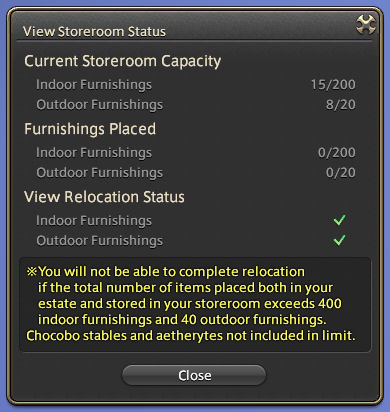
A storeroom for furnishings has been added to estates, apartments, and private chambers.
The storeroom is a new inventory space designed specifically for housing-related items, including those that cannot be returned to your regular inventory once placed.
- Outdoor and indoor furnishings have separate storeroom spaces.
- Furnishings will be placed in the storeroom upon relocating an estate.
- Furnishings must be removed from the storeroom before an estate can be removed.
* Relocation of an estate is not required to access storerooms.
* Furnishings that are normally irretrievable can be placed in the storeroom. However, they will be discarded if you attempt to move them to your inventory.
* Culinarian furnishings that grant attribute bonuses can be placed in the storeroom even if they have been used. They may only be returned to a player’s inventory if they have never been used.
* Plants will not grow when a garden patch or flowering pot has been placed in the storeroom. Furthermore, aetherial stands cannot gain a charge while placed in the storeroom.
Storeroom Limits
The number of items allowed in a storeroom is equal to the number of furnishings that can be placed in the estate.
- Private Chambers/Apartments
| Indoor | 100 | |
| Outdoor | - |
- Cottage
| Indoor | 200 | |
| Outdoor | 20 |
- House
| Indoor | 300 | |
| Outdoor | 30 |
- Mansion
| Indoor | 400 | |
| Outdoor | 40 |
Accessing the Storeroom
Access to the storeroom may vary depending on the type of estate.
| Free company | Members with furnishing placement privileges | |
| Individual | Owner or tenant with furnishing placement privileges | |
| Private Chambers | Owner | |
| Apartment | Owner |
Using the Storeroom
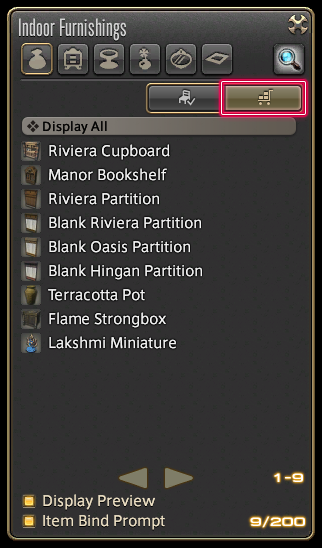
Indoor Furnishings
Open the Indoor Furnishings window via the Housing menu under Social in the main menu, then select the Storeroom tab.
Outdoor Furnishings
Open the Outdoor Furnishings window via the Housing menu under Social in the main menu, then select the Storeroom tab.
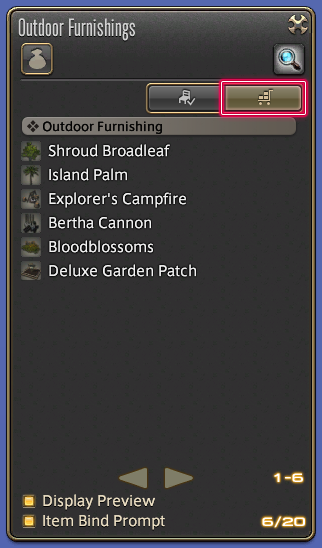
In addition to this new tab, a storage mode option has been added to layout mode. Using this option will allow you to move furnishings directly to the storeroom rather than your inventory.

Display Preview
It is also possible to preview storeroom furnishings while set to storage mode. Selecting an item from the storeroom list will set the furnishing in front of your character. You can then select the move and rotate modes to adjust their positioning to your liking.
* An option to disable the display preview is available.
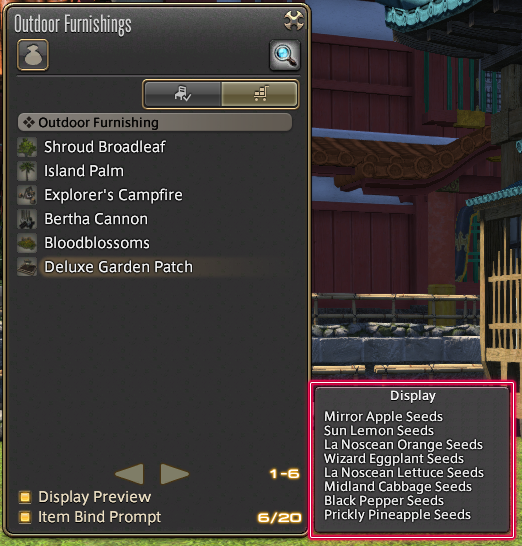
Furnishing Contents Preview
Certain furnishings which contain other items may also be placed in the storeroom. When selecting said furnishings, a window will appear displaying their contents.
- Furnishings
Unstorable Furnishings
- The following furnishings cannot be placed in the storeroom:
Storerooms and Relocation
When relocating an estate, the storehouse limit is increased to 400 indoor furnishings and 40 outdoor furnishings regardless of estate size. This will, for example, allow players to store all placed furnishings from a mansion before relocating to a cottage. Please be advised, however, that relocating to a smaller estate will reduce your storeroom limit. In such cases, additional items cannot be added to the storeroom while exceeding the newly reduced limit.
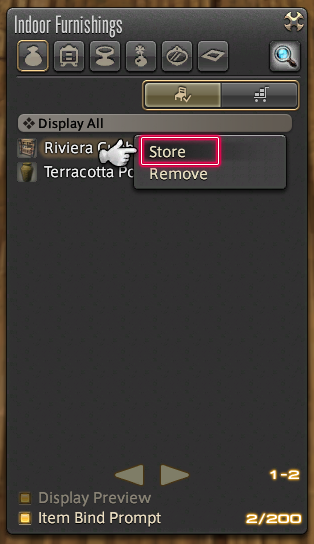
The Store subcommand is now available when selecting furnishings.
Explanations for the storeroom and relocation have been added to the residential caretaker NPC in each residential area.
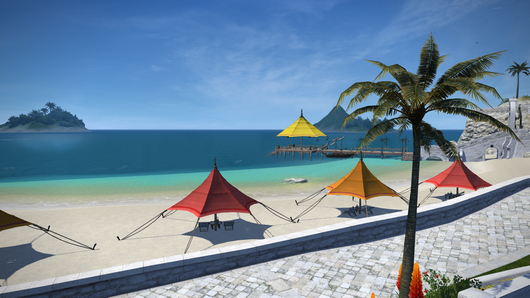
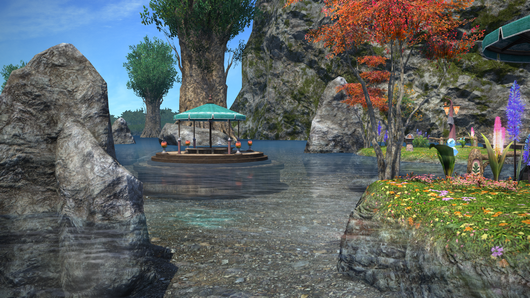
Players can now swim in all residential areas.
In accordance with this change the maps for certain areas have been adjusted. This will not affect the position of estates.
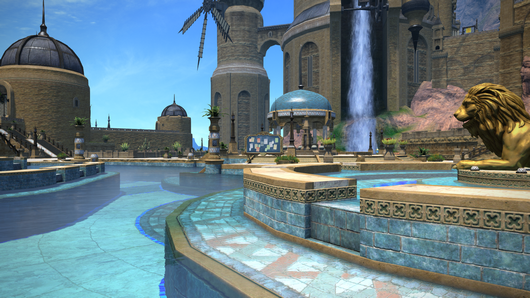
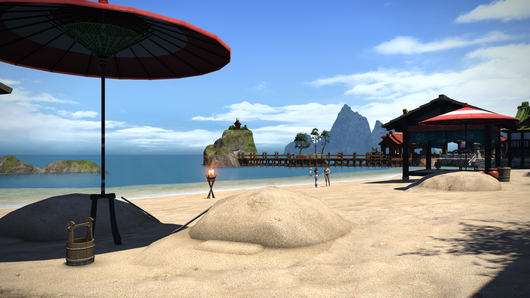
The number of NPCs in each residential area and their positions have been adjusted.
New furnishings have been added.
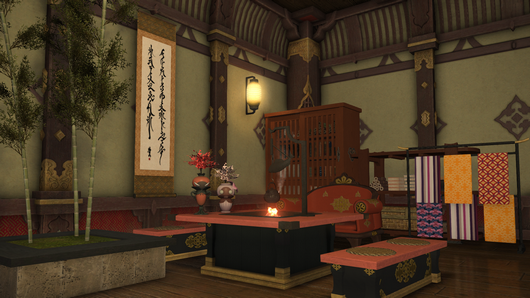
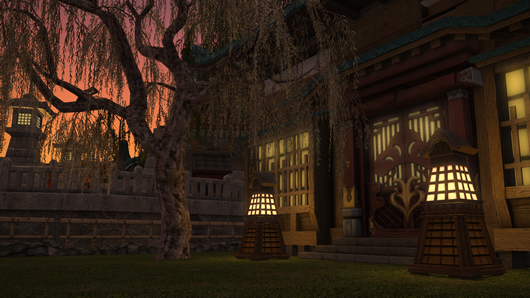

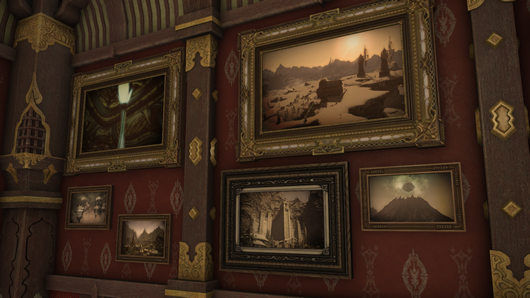
New paintings have been added.
New window furnishings have been added.
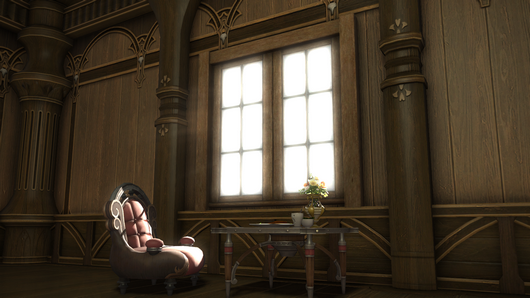
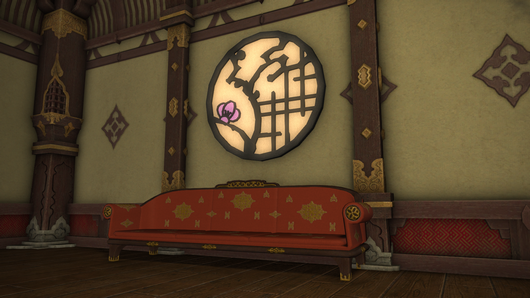
Light will pour in based on the time of day in Eorzea Time.
* This furnishing can only be placed indoors.
New blank partition furnishings have been added, which can be decorated with several wallpaper designs.
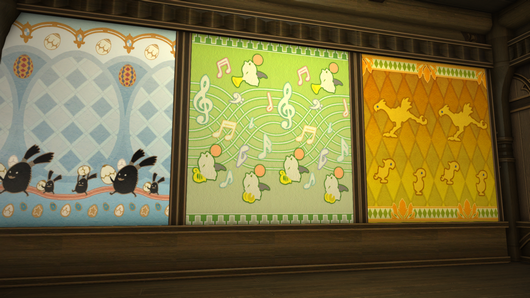
There are four types of blank partitions available, which can be used in free company estates, private estates, apartments, and private chambers. Moreover, there is no limit to the number of these furnishings allowed in an estate.
Selecting a blank partition will give players the option to apply wallpaper designs.
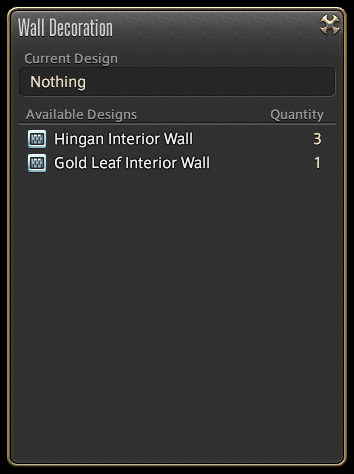
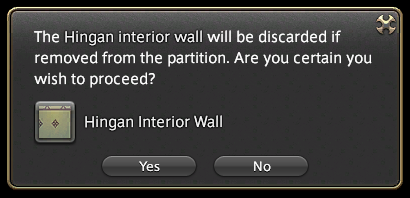
To remove wallpaper designs, select the partition and select Remove Design.
* Wallpapers removed from a blank partition will be lost.
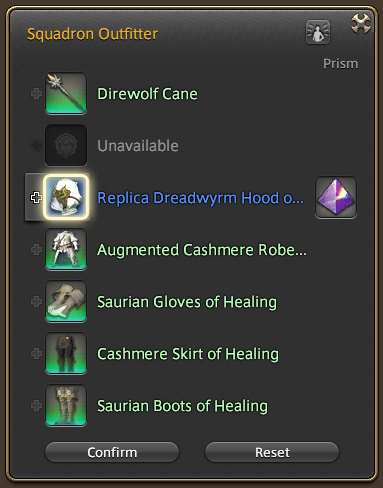
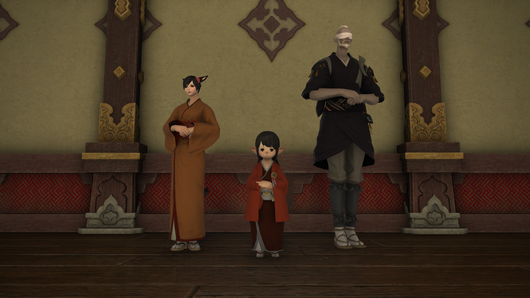
The following items, which allow players to employ material suppliers, junkmongers, and armor menders with new appearances, have been added:
The following furnishings will no longer be destroyed when removed:
Culinarian furnishings that grant attribute bonuses can now be returned to a player's inventory if they have never been used.
* Culinarian furnishings that have been used at least once will be destroyed when removed.
* In the event your estate or private chambers have been automatically relinquished, culinarian furnishings will be lost even if they have never been used.
New orchestrion rolls have been added.
New harvestable crops have been added.
A new seed for flowerpots has been added.
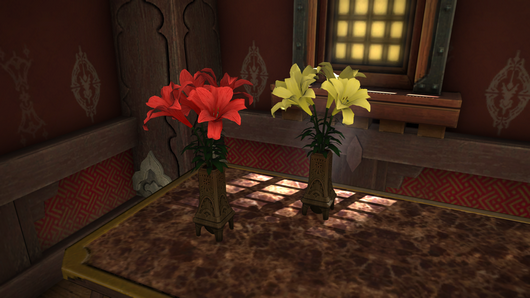
- Brightlily Seeds
Brightlily seeds can be purchased from the following NPCs:
Estate-related items have been added to the following NPC shops:
New aquarium fish have been added.
New aquarium interior items have been added.
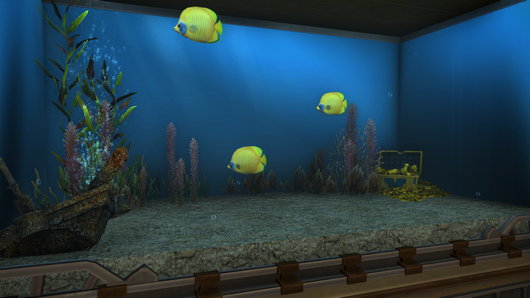
- Sunken Treasure Tank Trimmings
Players can now purchase this aquarium interior from the following NPCs:
Additional Updates
New prizes are available for purchase using MGP.

New Triple Triad cards have been added.
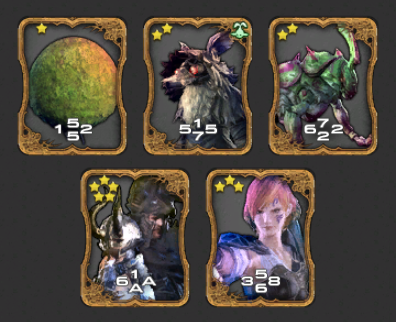
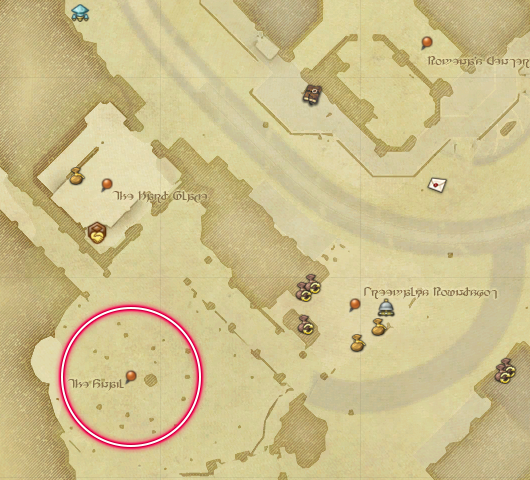
The following Triple Triad battle area has been changed:
The Greengrub Mudplots area has been changed to the Snail.
The following additions have been made to the Challenge Log:
- A new challenge log entry has been added.
| The Customer Is Always Right Complete 6 custom deliveries. | 1,000 gil |
- Additional completion requirements have been added to pre-existing challenge log entries.
| Feeling Lucky Complete 3 dungeons via the Duty Roulette. | Duty Roulette: Alliance Raid | |
| Aqua Gleam Hunter Force I Open 5 treasure coffers in the Aquapolis or Lost Canals of Uznair vaults. | The Hidden Canals of Uznair |
New vistas have been added to the Stormblood sightseeing log.
The location of ninth entry in the sightseeing log has been adjusted.
New emotes have been added.
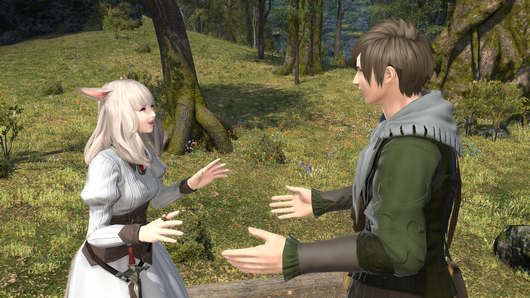
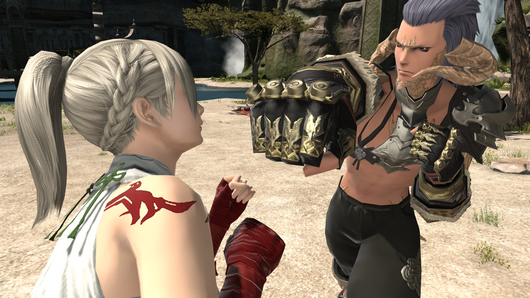
New aesthetician hairstyles have been added.
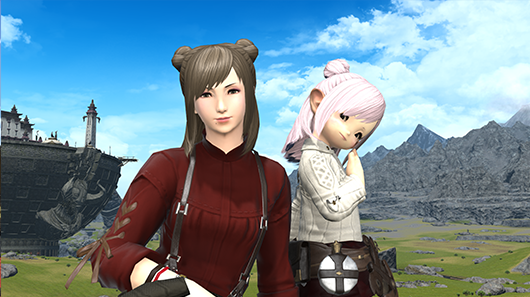
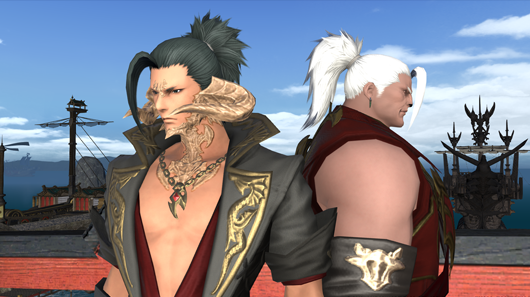
Among the new hairstyles added is one of the winning styles from the FFXIV Hairstyle Design Contest.
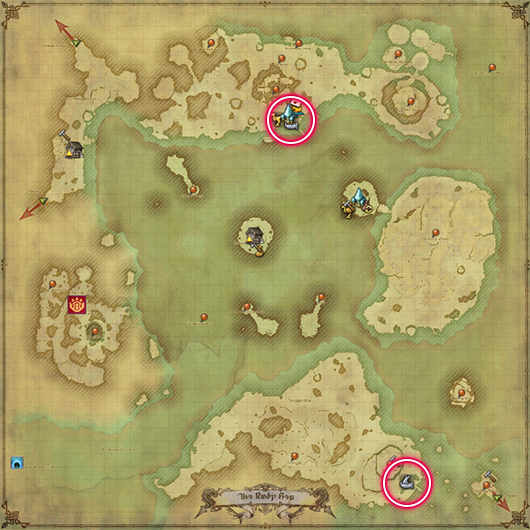
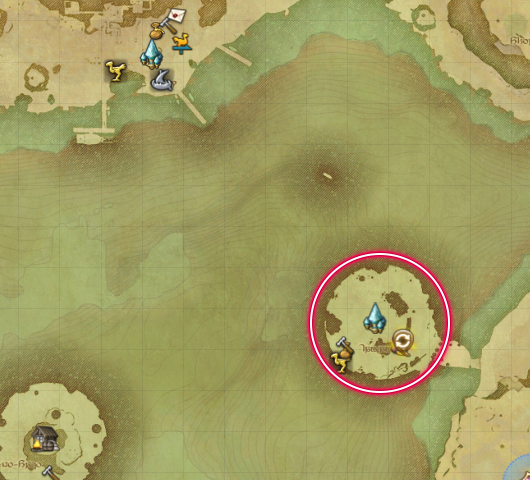
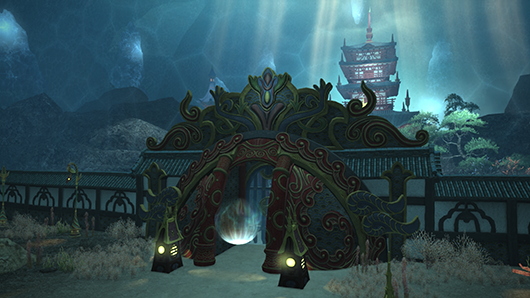
The entrance to Shisui of the Violet Tides in the Ruby Sea (X:2.2 Y:36.6) has been changed.
Kugane airship landing will be added to the aethernet in Kugane after attuning to all locations.

The following actions and traits have been adjusted:
Warrior
| Steel Cyclone | HP absorption has been increased. | |
| Fell Cleave Decimate Inner Release | Inner Beast, Steel Cyclone, and Unchained will now be replaced by these actions when using Deliverance. As such, they can no longer be set to the hotbar. | |
| Shake it Off | The effect "removes most all detrimental effects" has been changed to "creates a barrier around self and all nearby party members that absorbs damage totaling 8% of maximum HP." Recast time increased from 60 to 90 seconds. |
Lancer / Dragoon
| True Thrust | Potency increased from 150 to 160. | |
| Vorpal Thrust | Combo potency increased from 240 to 250. | |
| Impulse Drive | Potency increased from 190 to 200. | |
| Heavy Thrust | Potency increased from 140 to 150. Potency when executed from a target's flank increased from 180 to 190. Increased damage effect reduced from 15% to 10%. | |
| Full Thrust | Combo potency increased from 440 to 450. | |
| Dragon's Eye | Dragon Gauge maximum reduced from 4 to 3 units. | |
| Jump | Potency increased from 250 to 260. | |
| Disembowel | Combo potency increased from 230 to 240. | |
| Doom Spike | Potency increased from 130 to 140. Area of effect has been increased. | |
| Spineshatter Dive | Potency increased from 200 to 210. | |
| Chaos Thrust | Combo potency increased from 230 to 240. Combo potency when executed from a target's rear increased from 270 to 280. | |
| Dragonfire Dive | Potency increased from 300 to 320. | |
| Blood of the Dragon | Can no longer be executed while under the effect of Life of the Dragon. | |
| Fang and Claw | Potency increased from 250 to 260. Potency when executed from a target's flank increased from 290 to 300. | |
| Wheeling Thrust | Potency increased from 250 to 260. Potency when executed from a target's rear increased from 290 to 300. | |
| Geirskogul | Potency increased from 220 to 230. Recast time reduced from 35 to 30. Requirement for the additional effect has been changed from 4 Dragon Eye units to 3 Dragon Eye units. | |
| Sonic Thrust | Combo potency increased from 170 to 180. Area of effect has been increased. | |
| Mirage Dive | Potency increased from 200 to 210. | |
| Nastrond | Potency increased from 320 to 330. | |
| Life of the Dragon | Now states the Dragon Gauge only requires 3 units to receive the Life of the Dragon status after using Geirskogul. |
Ninja
| Doton | An issue wherein the trait Dripping Blades II increased the damage of this action has been addressed. In accordance with this change, the potency of this action been increased from 40 to 45. | |
| Shukuchi | The time required to execute this action has been reduced. |
Machinist
| Rook Autoturret | Hypercharge effect increasing target's damage taken increased from 5% to 6%. | |
| Bishop Autoturret | Hypercharge effect increasing target's damage taken increased from 5% to 6%. |
Arcanist / Summoner
| Summon | Cast time reduced from 6 to 3 seconds. MP cost reduced. | |
| Summon II | Cast time reduced from 6 to 3 seconds. MP cost reduced. | |
| Summon III | Cast time reduced from 6 to 3 seconds. MP cost reduced. | |
| Tri-bind | The Dreadwyrm Trance effect "removes bind effect, increases potency by 70, and reduces MP cost" has been added. Cast time reduced from 3 to 2.5 seconds. | |
| Ruin III | Potency reduced from 150 to 130. MP cost reduced. The additional effect "No cast time while in Dreadwyrm Trance" has been added. | |
| Ruin IV | Cast time has been made instant. | |
| Aetherpact | Recast time increased from 90 to 120 seconds. No longer requires a party member within 30 yalms. | |
| Devotion | The effect "increases attack potency and healing magic potency of the closest party member within a 30-yalm radius by 5%. Also reduces damage taken by that party member by 5%" has been changed to "increases damage dealt and reduces damage taken by all party members within a 30-yalm radius by 2%. Also increases healing magic potency of all party members by 5%." | |
| Ruin Mastery | Now acquired at level 54 (previously level 62). The effect "grants a 15% chance that Ruin and Ruin III are upgraded to Ruin IV after a pet uses an action" has been changed to "changes Ruin to Ruin III." The activation requirement has been removed. The icon has been changed. |
Arcanist / Scholar
| Summon | Cast time reduced from 6 to 3 seconds. MP cost reduced. | |
| Summon II | Cast time reduced from 6 to 3 seconds. MP cost reduced. | |
| Adloquium | MP cost reduced. | |
| Succor | MP cost reduced. Barrier effect increased from 100% to 150% the amount of HP restored. | |
| Fey Caress | When in Sic mode, Selene will now activate Fey Caress when inflicted with an enfeeblement that can be removed with this skill. |
Magic Ranged DPS Role Actions
| Addle | Recast time reduced from 120 to 90 seconds. | |
| Mana Shift | Recast time reduced from 150 to 120 seconds. | |
| Apocatastasis | Recast time reduced from 150 to 90 seconds. |
Magic Ranged DPS/Healer Role Action
| Surecast | The effect "next spell is cast without interruption" has been changed to "Spells can be cast without interruption." The additional effect "nullifies knockback and draw-in effects" has been changed to "nullifies most knockback and draw-in effects." Duration reduced from 10 to 5 seconds. |
New actions have been added.
Arcanist / Summoner / Scholar
| 18 | Sustain |
A new trait has been added.
Summoner
| 62 | Enhanced Ruin II Grants a 15% chance that a pet action will trigger Further Ruin, upgrading Ruin II to Ruin IV. |
Ranged physical DPS and ranged magic DPS classes will now be able to see their own targeting indicators when using a limit break action.
Effects for the following actions will now always display regardless of graphics settings:
- Provoke
- Ultimatum
- Shirk
The paladin action Sword Oath will no longer end when logging out.
The help text for certain actions and traits has been adjusted.
The icons of certain traits have been changed.
The following effects will now display as status icons when their associated actions are used:
Action
- Aetherflow
- Draw
- Royal Road
- Spread
UI Location
- Party List
- Status Effects
- Focus Target Bar
- Target Info (Status)
A text command to adjust the size of Demi Bahamut has been added.
Further details can be found under System.
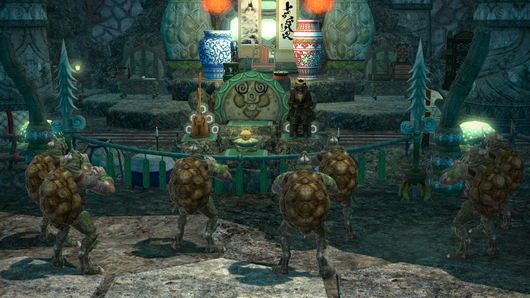
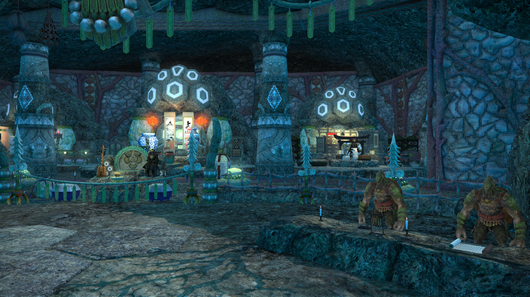
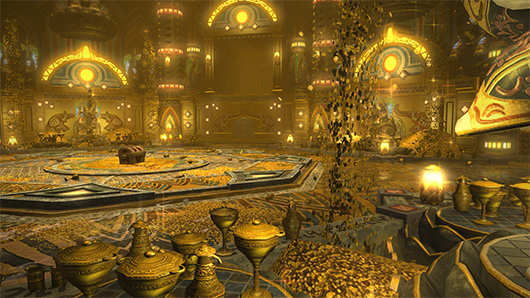
A new dungeon, the Drowned City of Skalla, has been added.
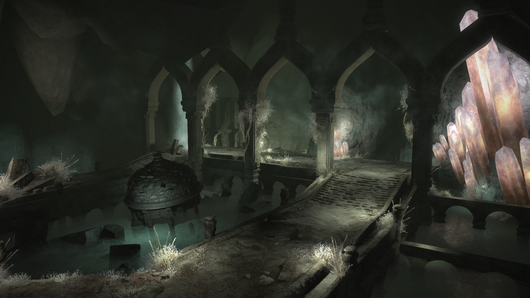
| Level Requirement | Disciple of War or Magic level 70 | |
| Item Level Requirement | Average item level 300 or above | |
| Party Size | Four players | |
| Time Limit | 90 minutes |
Requirements
The HP of enemies in level 15 to 49 and level 51 to 59 dungeons has been adjusted.
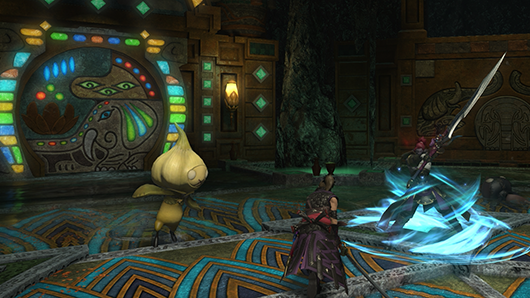
A new trial, the Minstrel's Ballad: Shinryu's Domain, has been added.
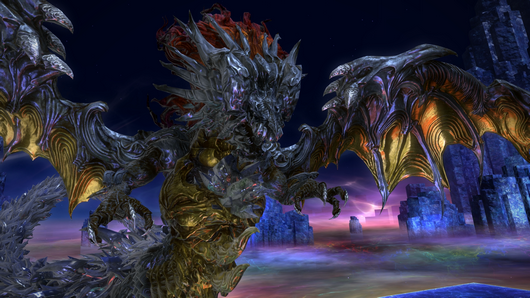
| Level Requirement | Disciple of War or Magic level 70 | |
| Item Level Requirement | Average item level 320 or above | |
| Party Size | Eight players | |
| Time Limit | 60 minutes |
Requirements
The Minstrel's Ballad: Shinryu's Domain can only be accessed via the Raid Finder.
* Item level restrictions do not apply when registering as a full party.
Items that dropped directly from boss enemies will now drop from treasure boxes in the following trials:
| The Limitless Blue (Extreme) | Expanse Baleen | |
| Thok ast Thok (Extreme) | Hive Forewing | |
| Containment Bay S1T7 (Extreme) | Fiend Sap |
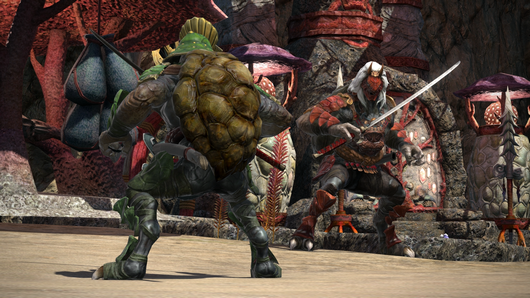
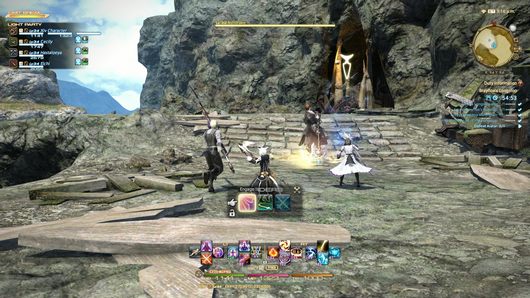
The alliance raid dungeon The Royal City of Rabanastre has been added.
The story for this exciting new raid was written by guest creator Yasumi Matsuno, director and writer of titles such as FINAL FANTASY TACTICS and FINAL FANTASY XII. The boss designs are courtesy of guest creator Keita Amemiya, creator and director of the GARO series. Prepare yourselves for a grand adventure the likes of which you've never seen before!
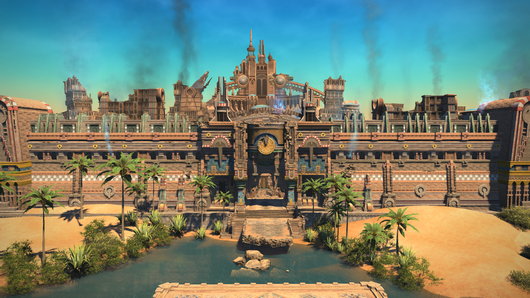
| Level Requirement | Disciple of War or Magic level 70 | |
| Item Level Requirement | Average item level 305 or above | |
| Party Size | Eight players, or an alliance of 24 players | |
| Time Limit | 120 minutes |
Requirements
Role Requirements
Parties matched automatically via the Duty Finder will comprise of 1 tank, 2 healers, and DPS.
Rewards
You can receive only one reward item per week for completing duties in the Royal City of Rabanastre.
In the event you are awarded an item from the loot list, you relinquish your right to vie for all remaining items regardless of whether you selected Need or Greed.
If time expires and a reward item is obtained automatically, this will also count toward the weekly limit.
* Reward eligibility is reset every Tuesday at 1:00 a.m. (PDT)
Each party in the alliance will receive its own treasure chest, the contents of which will be identical regardless of the route taken.
* Players cannot open a treasure chest belonging to another party.
Completion Reward
Upon completing the Royal City of Rabanastre, players can also earn a separate reward once per week. This reward can be exchanged with Eschina in Rhalgr's Reach (X:13.8 Y:11.7) for items used to enhance equipment purchased with Allagan tomestones of creation.
In addition, players will also receive one cracked cluster per week upon completing this duty.
Weekly restrictions on Mhachi matter from Dun Scaith have been removed.
Entry requirements for the Labyrinth of the Ancients has been changed.
| Three parties consisting of 2 tanks, 2 healers, and 4 DPS | Three parties consisting of 1 tank, 2 healers, and 5 DPS |
Time until the boss area in alliance raid dungeons is sealed has been increased from 15 to 30 seconds.
Players will now receive the power of the Echo in the event all party members are incapacitated during the following trials:
Requirement
Players are incapacitated after having battled enemies for a certain period of time.
Echo Effect
Increased HP, damage dealt, and healing potency.
The effect will be granted in five stackable stages
Emanation / The Pool of Tribute / The Royal Menagerie
Each time players restart the aforementioned trials, they will be granted a 10% Echo effect boost, which increases each restart up to a maximum of 50%. If a player restarts after battling for less than three minutes, they will not be granted this effect.
Emanation (Extreme) / The Pool of Tribute (Extreme)
Each time players restart the aforementioned trials, they will be granted a 5% Echo effect boost, which increases each restart up to a maximum of 25%. If a player restarts after battling for less than three minutes, they will not be granted this effect.
The weekly restriction on rewards in Omega: Deltascape has been removed.
* This change does not apply to the Deltascape Crystalloid obtained in Deltascape V4.0.
The duties listed within Duty Roulette: Expert have been reorganized as follows:
| Ala Mhigo Kugane Castle The Temple of the Fist | Ala Mhigo Kugane Castle The Temple of the Fist The Drowned City of Skalla |
Duty Roulette: Alliance Raids has been added to the Duty Finder.
- The Labyrinth of The Ancients
- Syrcus Tower
- The World of Darkness
- The Void Ark
- The Weeping City of Mhach
- Dun Scaith
* This category can be unlocked by completing two or more of the above duties.
The following duties have been added to Duty Roulette: Mentor:
- The Drowned City of Skalla
- The Royal City of Rabanastre
The following additions and adjustments have been made to the Raid Finder:
- The Minstrel's Ballad: Shinryu's Domain has been added.
- Players can now queue to enter the following trials via the Duty Finder.
The Minstrel's Ballad: Shinryu's Domain has been added to the list of challenges in Stone, Sky, Sea.
Following the reimplementation of the arcanist action Sustain, it cannot be used in conjunction with the Sustaining Potion item in the Palace of the Dead. Moreover, the effects of one will overwrite the other when used.
Players will now receive the Brilliant Conviction effect when entering quest battles introduced prior to patch 4.1.
PvP
New PvP actions have been added.
Warrior
| Thrill of War | Increases maximum HP of self and nearby party members by 10% and restores HP by 10%. Duration: 10s |
Dragoon
| Dragon Sight | Grants Right Eye to self and Left Eye to target party member, increasing your damage dealt by 10% and the target party member's damage dealt by 10%, as long as target remains within 15 yalms. Duration: 10s |
Bard
| Troubadour | Adds an additional effect to the song currently being sung. Army's Paeon Effect: Reduces damage taken by 5% The Wanderer's Minuet Effect: Increases damage dealt by 5% Duration: 10s Can only be executed while singing Army's Paeon or the Wanderer's Minuet. |
Machinist
| Flamethrower | Delivers damage over time to all enemies in a cone before you. Potency: 250 Duration: 10s Gauss Barrel Effect: Heat Gauge gradually increases by 10 while Flamethrower is active. Heat Gauge not affected when used outside battle. Additional Effect: Fire damage over time, stacking up to 10 times. Potency: 250 Duration: 6s Effect ends upon using another action or moving (including facing a different direction). |
Red Mage
| Vercure | Restores target's HP. Cure Potency: 1,500 Additional Effect: Grants Dualcast, allowing next spell to be cast immediately Duration: 10s Action will not grant Dualcast while already under its effect. |
Astrologian
| Sleeve Draw | Executes Draw and Minor Arcana in succession. Execute command again to use the arcanum drawn. Only one arcanum can be drawn at a time. Duration: 30s Additional Effect: Restores 1,000 MP Will not overwrite currently saved arcanum. | |
| Minor Arcana | Converts currently drawn arcanum into the Lord of Crowns when Balance or Spire, or the Lady of Crowns when Bole or Ewer. Execute command again to use the arcanum drawn. | |
| Lord of Crowns | Deals unaspected damage with a potency of 1,000. "Can only execute while Lord of Crowns is drawn. Additional Effect: Reduces target's HP recovered by healing magic by 10% Additional Effect: Unaspected damage over time" "Potency: 250 Duration: 15s" * This action cannot be assigned to a hotbar. | |
| Lady of Crowns | Restores target party member's HP. Cure Potency: 2,500 Can only execute while Lady of Crowns is drawn. "Additional Effect: Regen Cure Potency: 1,000 Duration: 15s" * This action cannot be assigned to a hotbar. |
PvP actions have been adjusted as follows:
Paladin
| Holy Spirit | The additional effect "increases Oath Gauge by 5" has been added. | |
| Requiescat | Duration reduced from 10 to 6 seconds. The additional effect "reduces MP cost of all spells to 0" has been added. |
Dragoon
| Skewer | The additional effect "reduces target's attack magic and healing magic potency by 20%" has been changed to "reduces target's attack potency and healing magic potency by 10%." | |
| Dragon's Eye | Dragon Gauge maximum reduced from 4 to 3 units. | |
| Blood of the Dragon | Recast time reduced from 10 to 5 seconds. | |
| Geirskogul | Potency reduced from 2,000 to 1,500. Recast time reduced from 10 to 5 seconds. Dragon Gauge cost reduced from 4 to 3. | |
| Nastrond | Potency reduced from 3,000 to 2,500. Recast time reduced from 10 to 5 seconds. Dragon Gauge cost reduced from 4 to 3. | |
| Life of the Dragon | Now states the Dragon Gauge only requires 3 units to receive the Life of the Dragon status after using Geirskogul. |
Samurai
| Tenka Goken | Action now requires a target. |
Ninja
| Shukuchi | The time required to execute this action has been reduced. |
Bard
| Repelling Shot | The additional effect "bind" has been added. |
Summoner
| Energy Drain | Recast time increased from 1 to 3 seconds. |
Red Mage
| Verstone | Increase to White Mana changed from 10 to 15. | |
| Veraero | Increase to White Mana changed from 10 to 15. | |
| Verfire | Increase to Black Mana changed from 10 to 15. | |
| Verthunder | Increase to Black Mana changed from 10 to 15. | |
| Verholy | The additional effect "restores 1,500 MP" has been added. | |
| Verflare | The additional effect "restores 250 TP" has been added. | |
| Flunge | TP cost reduced from 300 to 250. | |
| Monomachy | Duration changed to 10 seconds. Recast time increased from 10 to 45 seconds. | |
| Corps-a-corps | The additional effect "reduces recast time by 5s if used on target suffering from a Monomachy effect inflicted by you" has been added. | |
| Displacement | The additional effect "reduces recast time by 5s if used on target suffering from a Monomachy effect inflicted by you" has been added. |
The following PvP job actions have been removed:
Warrior
Inner Release
Dragoon
Battle Litany
Bard
Battlefield March
Machinist
Report
Red Mage
Manafication
Astrologian
Draw
Deorbit
The amount of PvP experience received from PvP duties has been increased.
The Feast (4 on 4 - Training Match) has been added, and is available via the Duty Finder.
Matching algorithms have been adjusted for the Feast (4 on 4 - Ranked Match) to ensure players are matched with others of the same or an adjacent tier.
The Match Progress window will no longer become active when entering a PvP area, or returning to a home point after being incapacitated in the Feast.
The sound effect played when using the Quick Chat option "Retreat" has been changed.
The job requirement to spectate custom matches has been changed to any class or job at level 30 or above.

New items have been added.
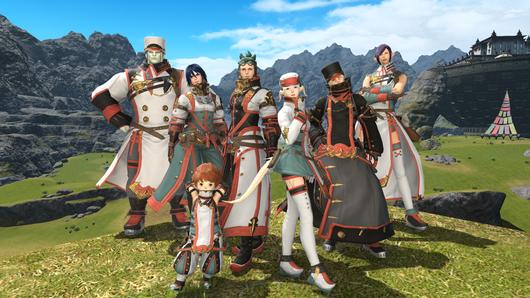
Items added in patch 4.1 will be listed at a later date.
New recipes have been added.

Recipes added in patch 4.1 will be listed at a later date.
New dyes have been added.
- General-purpose Metallic Orange Dye
- General-purpose Metallic Yellow Dye
The following items have been changed from "unique / untradable" to "untradable."
- Hero's Belt of Fending
- Hero's Belt of Maiming
- Hero's Belt of Striking
- Hero's Belt of Aiming
- Hero's Belt of Casting
- Hero's Belt of Healing
- Ardent Belt of Fending
- Ardent Belt of Maiming
- Ardent Belt of Striking
- Ardent Belt of Aiming
- Ardent Belt of Scouting
- Ardent Belt of Healing
- Ardent Belt of Casting
The following items no longer share a cooldown timer with medicine items such as potions:
- Company-issue Engineering Manual
- Company-issue Engineering Manual II
- Squadron Engineering Manual
- Commercial Engineering Manual
- Company-issue Survival Manual
- Company-issue Survival Manual II
- Squadron Survival Manual
- Commercial Survival Manual
- Squadron Enlistment Manual
- Priority Seal Allowance
- Squadron Battle Manual
- Squadron Spiritbonding Manual
- Squadron Rationing Manual
- Squadron Gear Maintenance Manual
- Priority Aetheryte Pass
- Gold Saucer VIP Card
The sale price of certain items has been adjusted.
The order of certain items as they appear in the market board or when using the sort function has been changed.
The Retrieve Materia subcommand has been added.
When using this command, the materia in an item's bottom slot will be removed and returned to your inventory.
Pleased be advised, however, there is a chance the retrieval will fail and the materia will be lost.
* Chance of failure increases with materia grade.
The Retrieve Materia subcommand can be used by any class or job upon completing the quest "Forging the Spirit."
* There is no fee required to retrieve materia.
* This command can also be used on materia affixed via advanced materia melding.
Following the implementation of this subcommand, the Materia Removal option has been removed from Mutamix in Central Thanalan (X:23.7 Y:13.6).
The following items will now appear in the Currency window:
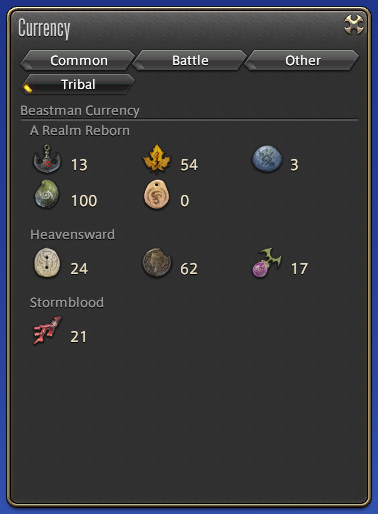
- Steel Amalj'ok
- Sylphic Goldleaf
- Titan Cobaltpiece
- Rainbowtide Psashp
- Ixali Oaknot
- Vanu Whitebone
- Black Copper Gil
- Carved Kupo Nut
- Venture
Any of the above items currently in your inventory will be converted into promissory notes.
| Ixali Oaknot | Ixali Oaknot Promissory Note |
Promissory notes in your inventory can be traded to the following NPCs to add them to the Currency window:
Beast Tribe Currency Promissory Notes
- Calamity Salvager
- Beast Tribe Vendors
* Beast tribe currency can only be traded to the vendors of their respective tribes.
Venture Promissory Notes
- Calamity Salvager
- Retainers in your employ
From patch 4.1 onward, newly acquired beast tribe currency and ventures will be added directly to the Currency window.
Ventures can no longer be obtained via leather, goatskin, toadskin, boarskin, peisteskin treasure maps or desynthesis.
* Other methods of acquiring ventures have not been changed.
Coffers containing item sets such as the Valor Armor Coffer can now be used outside large settlements.
* They cannot be used in instanced areas such as dungeons, PvP areas, or raids.
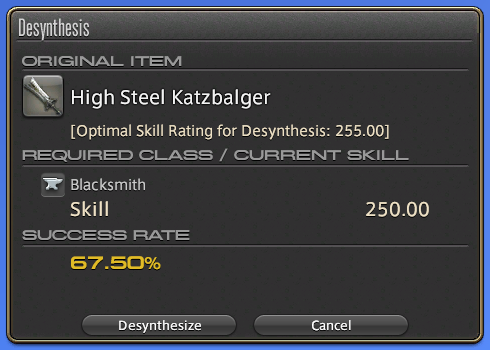
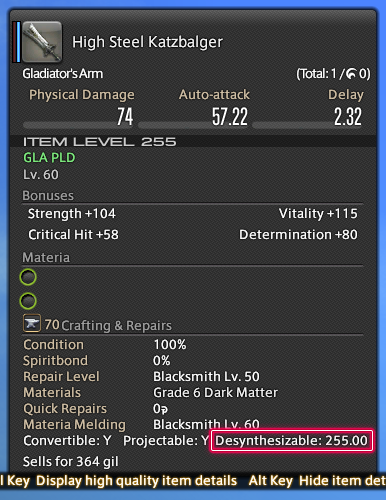
The success rate of desynthesis for items obtained in dungeons introduced after Heavensward and Stormblood has been adjusted.
The optimal skill rating for desynthesis will now be displayed when selecting items in the Desynthesis window or viewing item descriptions.
A desynthesis level lower than the optimal skill rating will result in a reduced success rate. When the success rate is 0%, desynthesis cannot be performed on the item.
The Display Only Recent Recipes option has been added to Filter Conditions in the Crafting Log interface.
The following crafter and gatherer actions can no longer be repeated while already under their effects:
Carpenter
- Name of the Wind
- Whistle While You Work
- Heart of the Carpenter
Blacksmith
- Name of Fire
- Whistle While You Work
- Heart of the Blacksmith
Armorer
- Name of Ice
- Whistle While You Work
- Heart of the Armorer
Goldsmith
- Whistle While You Work
- Heart of the Goldsmith
leatherworker
- Name of Earth
- Whistle While You Work
- Heart of the Leatherworker
Weaver
- Name of Lightning
- Whistle While You Work
- Heart of the Weaver
Alchemist
- Name of Water
- Whistle While You Work
- Heart of the Alchemist
Culinarian
- Reclaim
- Whistle While You Work
Miner / Botanist
- Discerning Eye
- Utmost Caution
- Single Mind
The fisher skill Fathom is no longer required to activate Truth of Oceans.
New miner and botanist gathering points have been added.
New items have been added to gathering points.
The location of gathering points in the Peaks have been adjusted.
The time at which the following gathering points appear has been switched:
- Lv 70 ephemeral lush vegetation patch in Yanxia
- Lv 70 ephemeral rocky outcrop in Yanxia
New fish have been added to level 61-70 fishing locations.
New spearfishing locations have been added to the Ruby Sea.
The location of swimming shadows in the Ruby Sea and Yanxia have been adjusted.
The success rate for reeling in certain fish in Stormblood areas has been increased.
The vitality attribute has been added to gatherer gear at level 60 and above.
The number of yellow crafter's scripts received in exchange for collectables at the Splendors Exchange has been increased.
Players can now speak with M'Naago to complete custom deliveries.
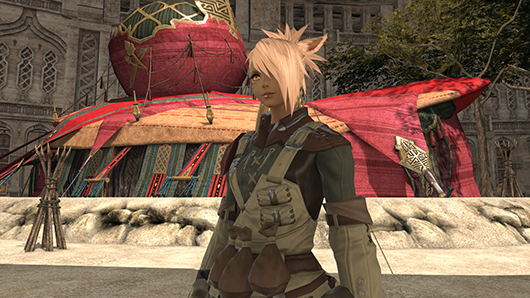
By completing these custom deliveries, players can receive gil, experience points, red and yellow crafter's scripts, or red and yellow gatherer's scripts.
Requirements
Experience points have been added to the list of rewards for custom deliveries for Zhloe Aliapoh.
Players must be a Disciple of the Hand or Land between level 55 and 69.
The weekly reset for custom deliveries has been changed from Thursdays at 1:00 a.m. (PDT) to Tuesdays at 1:00 a.m. (PDT).
* This change applies to both Zhloe Aliapoh and M'Naago.
The display of error and warning prompts when purchasing items from shops has been adjusted.
The following additions and adjustments have been made to retainer ventures:
- New items have been added to quick exploration ventures.
- New categories have been added to exploration ventures.
- Lumythrite ore has been added to Lv 56-60 mining ventures.
New mounts have been added.
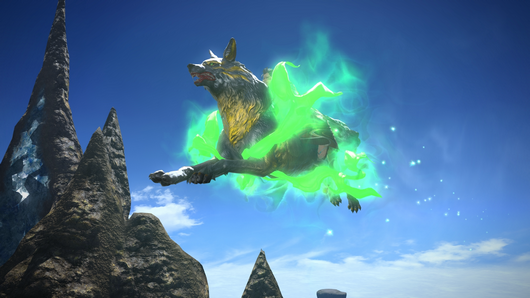
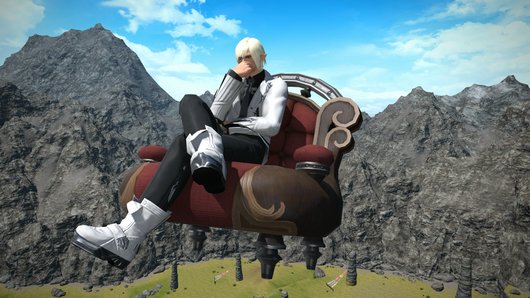
Players can now use a special action when riding the witch's broom mount.

The Sleipnir mount can now fly.

New minions have been added.
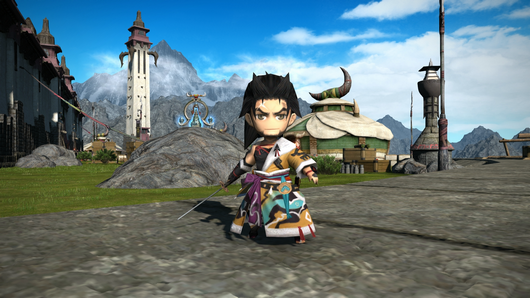
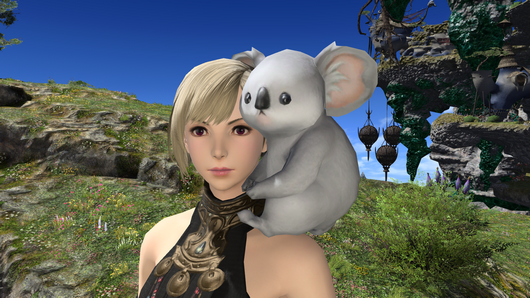
New Chocobo Barding has been added.
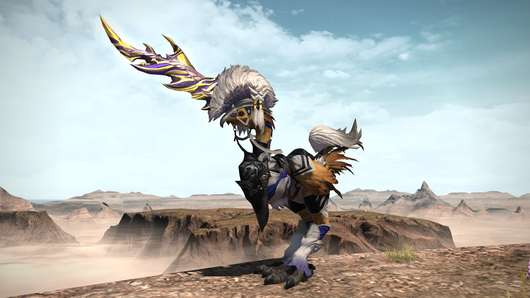
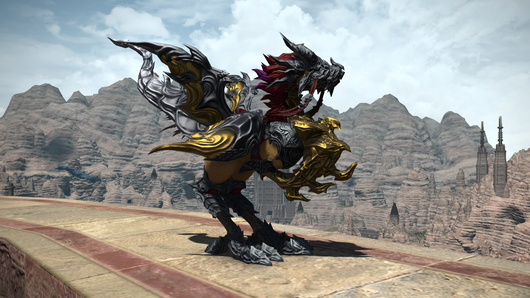

New achievements and titles have been added.
Certain duties and trials will now count toward the completion of achievements.
| A Tankless Job I (Paladin) A Tankless Job II (Paladin) But Somebody's Gotta Do It (Paladin) A Tankless Job I (Warrior) A Tankless Job II (Warrior) But Somebody's Gotta Do It (Warrior) A Tankless Job I (Dark Knight) A Tankless Job II (Dark Knight) But Somebody's Gotta Do It (Dark Knight) | The Minstrel's Ballad: Shinryu's Domain | |
| Tank You, Paladin I Tank You, Paladin II Tank You, Paladin III Tank You, Warrior I Tank You, Warrior II Tank You, Warrior III Tank You, Dark Knight I Tank You, Dark Knight II Tank You, Dark Knight III | The Drowned City of Skalla The Minstrel's Ballad: Shinryu's Domain The Royal City of Rabanastre |
Glamours can now be unlocked at level 15.
The following adjustments have been made in accordance with this change:
- The quest "A Self-improving Man" can now be accepted at level 15.
- The quest "Submission Impossible" can now be accepted at level 15.
- The following master recipe books can be acquired at level 15. Moreover, their price has been reduced from 3,000 gil to 300 gil:
- The required level for the following recipes has been lowered from 30 to 15:
- A new quest to unlock glamours has been added in Vesper Bay in Western Thanalan.
- A new quest to unlock glamour recipes has been added in Vesper Bay in Western Thanalan.
* The quests "If I Had a Glamour" and "Absolutely Glamourous" cannot be accepted if you have already completed the quests "A Self-improving Man" and "Submission Impossible." Conversely, the quests "A Self-improving Man" and "Submission Impossible" cannot be accepted if you have already completed the quests "If I Had a Glamour" and "Absolutely Glamourous."
When receiving a friend request from a player on another World, their information will now appear in the Contact List window.
Players can now add other players form different Worlds within the same data center to their friends list.
To add players from another World to your friends list, open the Contact List window under Social, select the player you wish to add, then select Send Friend Request.
* Friend requests cannot be sent to players who are offline.
* If the request has not be accepted within one week of sending, it will be removed from the sender's Contact List upon logging in or changing areas. It will also be canceled when the recipient attempts to view the request after one week.
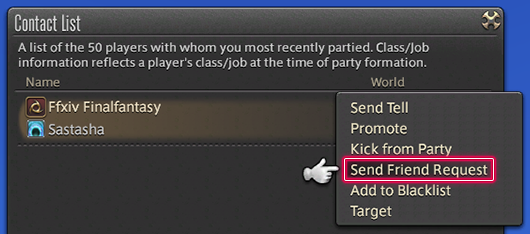
Players can now send /tell messages to players from different Worlds on their friends list.
To send a /tell message to a friend from another World, you must also include the World name after their character name.
Example
/tell Character Name@Aegis [message]
* Messages cannot be sent to players from another World if they are not on your friends list.
* Messages can only be sent if the recipient's status is Online.
A new icon has been added to the friend list to indicate whether a friend is online.
If the online status of a friend in another World cannot be verified, a specific icon will be displayed.
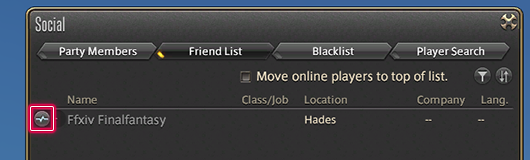
Accessing this icon will update that friend's status.
* This is performed on a per-character basis.
- Online

- Offline

Players can now use the Party Finder to recruit for cross-World alliance raids and custom matches.
- Recruitment for all alliance raids and custom matches will be handled in the same manner as cross-World parties.
* You may select "Recruit Members Across World Server" or "Recruit Members Across Data Center" in the search area, but alliance raids and custom matches will be treated as cross-World regardless of this selection. If recruitment begins with the "Recruit Members Across Data Center" selected, it cannot be changed to "Recruit Members Across World Server." - When first joining an alliance raid or custom match, only alliance chat will be available. Party chat can be used once the duty or match has begun.
- It is now possible to register and join alliance raids and custom matches via the Duty Finder directly. As a result of this change, the previous functions for applying for alliance raids and custom matches have been removed from the Duty Finder.
- When recruiting for an alliance, Undersized Party and Minimum IL can be selected for the following duties:
* When selecting Undersized Party for an alliance raid, a minimum of one player is required for each of the three parties.
Alliance Raids
Recruiting
To begin, select the Alliance tab in the Recruitment Criteria window.
You may recruit as an individual player, or as a preformed party. The three parties of eight players are recruited simultaneously. The player recruiting for the alliance raid will always enter as a member of Alliance A.
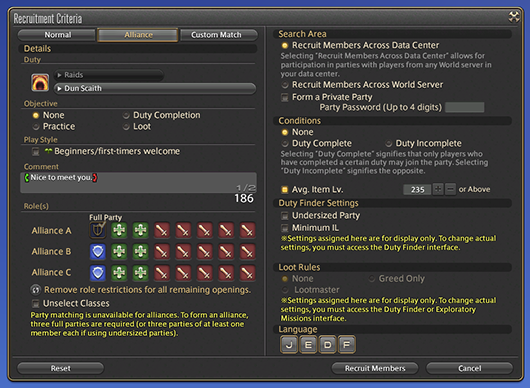
While recruiting, you can check the status of the other members from the Party Members menu, under Party.
Participating
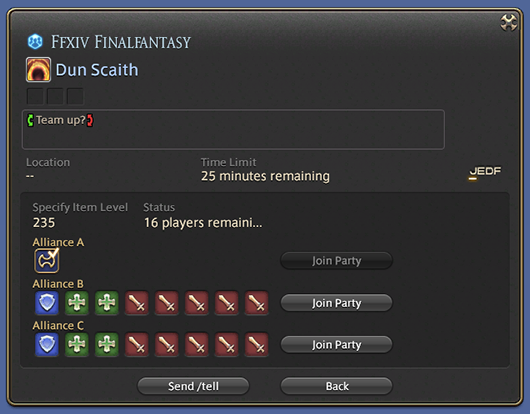
When searching for an alliance raid to join, the roles of each member will not be displayed in the Party Finder. The number of players in each of the three parties will be displayed instead.
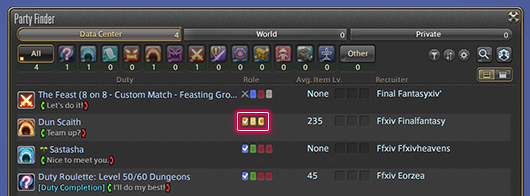
Selecting an alliance raid from the Party Finder will display a list of participating parties which you may choose to join.
Custom Matches
Recruiting
To begin, select the Custom Match tab in the Recruitment Criteria window.
The Claws, Fangs, and spectators are recruited simultaneously. The player recruiting for the custom match will always be a member of the Claws. It is possible to recruit for a custom match without any spectators.
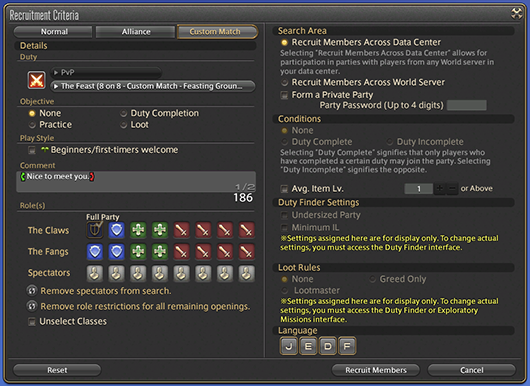
While recruiting, you can check the status of the other members from the Party Members menu, under Party.
Participating
When searching for a custom match to join, the roles of each member will not be displayed in the Party Finder. The number of Claws, Fangs, and spectators will be displayed instead.
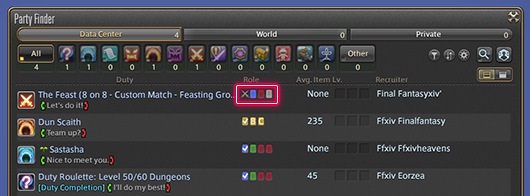
Selecting an alliance raid from the Party Finder will display a list of participating parties which you may choose to join.
The following additions and adjustments have been made to the Party Finder:
- Party Finder Display Settings has been added to the Party Finder. Locked duties can be hidden, and the interval between notifications can be changed.
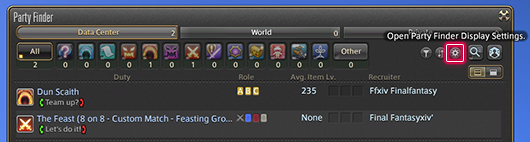
- A new button enabling a simplified display of the Party Finder list has been added.
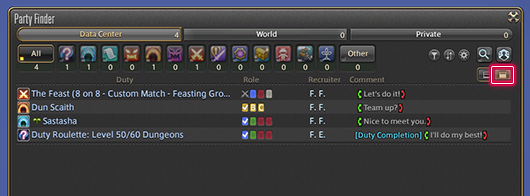
- Unlocked duties can be sorted to the top of the list.
- High-end Duty has been added as a duty category under Recruitment Criteria.
- The condition Duty Incomplete has been added to Recruitment Criteria. The same condition can also be selected in Search Criteria when using Advanced Search.
- Party Finder Display Settings allows you to change the interval between advanced search result log messages from between 1 and 10 minutes.
- Tell messages can be sent directly to the recruiter of a cross-World party. Selecting Send/tell from the party details screen will allow you to send a Tell message even if you are not friends with that person. The party recruiter can then reply directly to the sender of that Tell by pressing Alt+R. However, this form of replying will not be available if the party has been dissolved.
- Adjustments have been made to the log messages displayed when forming a cross-World party.
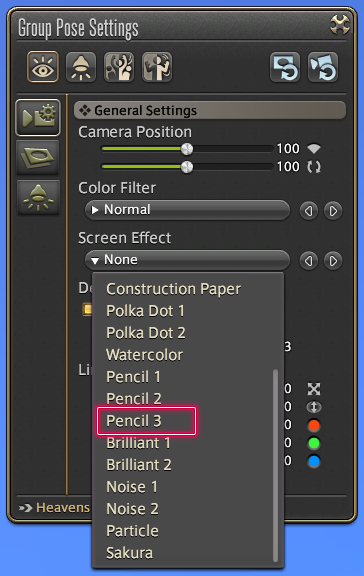
New color filters and screen effect patterns have been added for group pose and idling camera.
Selecting a quest marker on the region map will switch to the corresponding area map.
When using a gamepad or controller to scroll around a map, holding RT (R2) will reduce the scroll speed.
Companions and minions can be summoned at the same time.
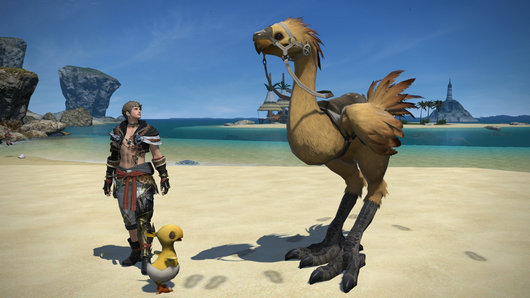
The time remaining after summoning a companion is now shown in the party list.

If a minion disappears as a result of a character being KO'd, the minion will reappear when the character is revived.
Display resolution for the character model shown in the Character, Try On, Dye, and other windows has been increased. (DirectX 11 and PlayStation® 4 only)
The resizing of UI elements such as Character and similar menus now includes 160%, 180%, and 200% options.
The following have been added to the Currency menu:
- Ventures have been added to the Common tab.
- The Tribal tab has been added, showing beastman currencies.
The following additions and adjustments have been made to the Actions & Traits menu:
- The position of the General tab has been changed.
- Class and job actions are combined under Actions. As such, Job has been removed.
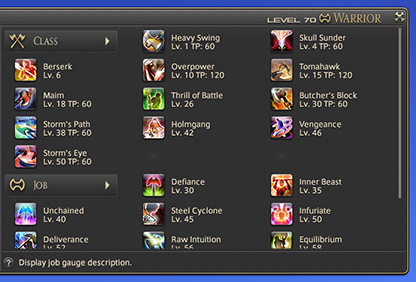
- Actions found under the Actions tab can be assigned to hotbars even if they are not yet available.
- To better distinguish between actions that can and cannot be assigned to the hotbar, the design of their icons has been changed.
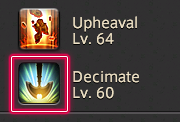
- Duty actions have been moved to the General tab.
- The Companion tab has been changed to the Orders tab, which contains both companion actions and orders given to squadron members.
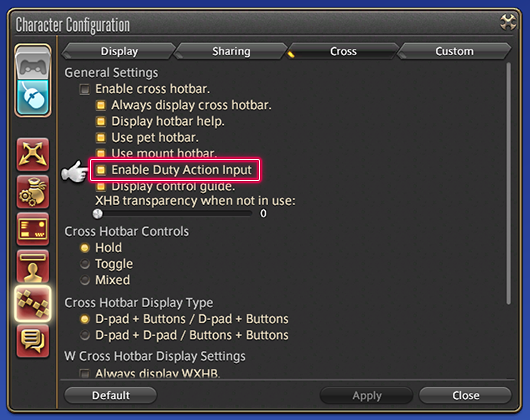
An option has been added to disable duty action inputs performed on gamepad/controller with LT/RT + right analog stick button (L2/R2 + R3).
* This will prevent duty actions from being performed directly via gamepad/controller input. They can still be performed by assigning the duty action to a hotbar.
Target Type: Target Closest Enemies options have been added to the Character Configuration interface.
Targeting
| Keyboard | Tab/Shift+Tab (default setting) | |
| Gamepad/Controller | LT/RT+LB/RB (L2/R2+L1/R1) |
Target Type
- Type 1 (standard)
Targets enemy closest to the player without considering depth in terms of the camera position. - Type 2 (new)
Targets enemies based on a cone shape originating from the position of the camera.
Stormblood beast tribes added to the Reputation tab of the Character window.
When using a mouse, right-clicking on a hotbar's number cycles through hotbar layouts.
* This function is disabled if the hotbars are locked or the hotbar numbers are not displayed.
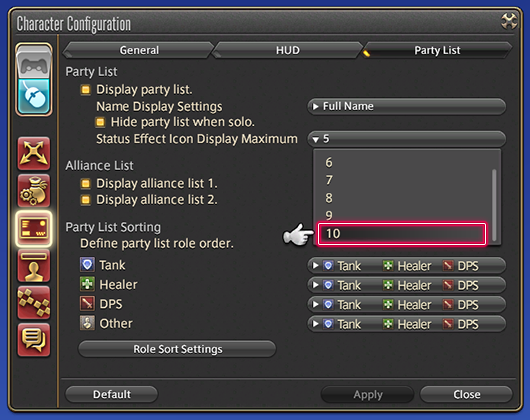
The party list can now display up to 10 status effects.
The number of status effects displayed in the party list can be changed via UI Settings in the Character Configuration interface.

UI Element Settings has been added to HUD Layout.
Each UI element can be configured separately.
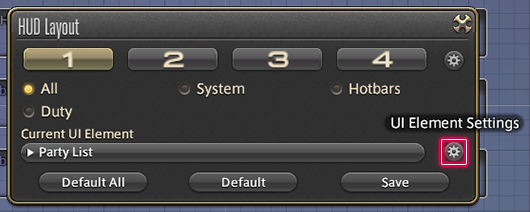
The following additions and adjustments have been made to HUD Layout:
- Adjustments have been made to the default positions of certain parts of the HUD.
- The party list has been adjusted so that up to eight players, one pet, and one companion can be displayed simultaneously.
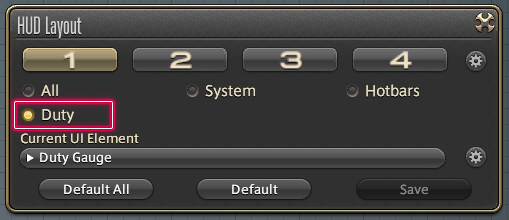
- The Duty option has been added to the HUD layout filters.
This includes PvP UI elements not selectable when using All.
- 160%, 180%, and 200% sizes are now available for UI elements.
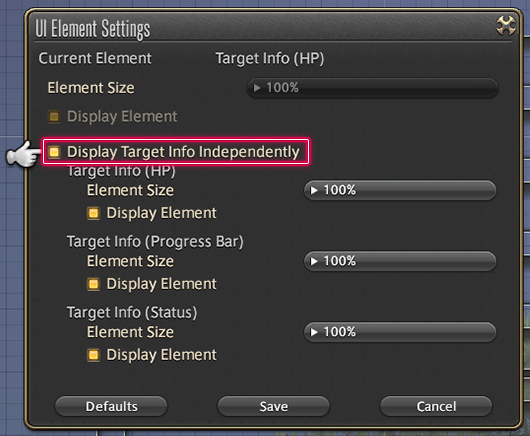
- The target bar can now be divided into HP, Progress Bar, and Status.


To enable this function, select Target Bar from HUD Layout, then select Display Target Info Independently.
- The Status Info UI element has been divided into Enhancements, Enfeeblements, and Other.


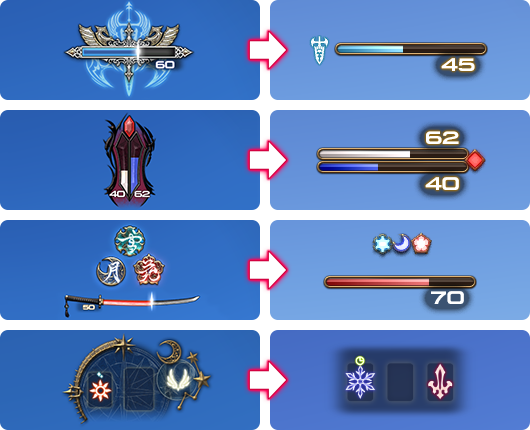
The Job Gauge has been adjusted as follows:
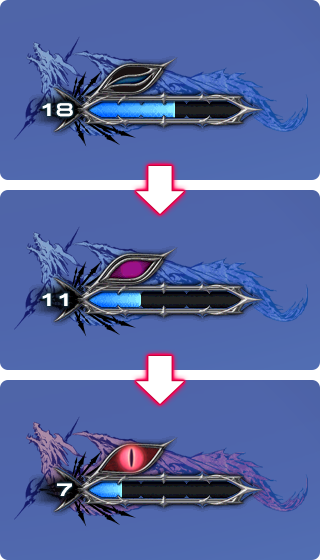
Dragoon
The number of units required for the full gaze of the first brood has been reduced from 4 to 3.
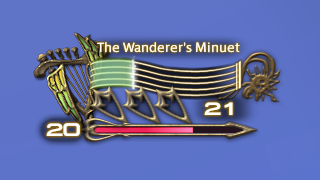
Bard
A gauge indicating the duration of Straight Shot's increased critical hit rate effect has been added.
Machinist
A gauge indicating the duration of Hot Shot's increased physical damage effect has been added.
A simple mode has been added to the Job Gauge under UI Element Settings.
A warning message will now appear when attempting to join a duty via the Duty Finder if gear condition is 30% or lower.
Following adjustments to the main scenario guide, changes have been made to the timing with which the sidequest "My Feisty Little Chocobo" and job unlock quests are displayed.
The numbers shown on the EXP bar now include commas.

When cycling through inventory tabs with a gamepad or controller, the active tab will now loop back to the first tab of your inventory.
The most recently used chat mode will be saved when logging out, and will be retained upon logging back in.
The icons for the Wave and Goodbye emotes have been redesigned.
Wave

Goodbye

The following additions have been made to the Character Configuration interface:
Control Settings
Target Tab
Target Type: Target Closest Enemies
Type 1: Ignore Depth
Type 2: Cone
UI Settings
Party List Tab
Party List
Status Effect Icon Display Maximum
Hotbar Settings
Cross Tab
Enable cross hotbar
Enable Duty Action Input
The following have been removed from the Character Configuration interface:
* They can now be found under UI Element Settings in HUD Layout.
UI Settings
HUD Tab
Display enhancements & enfeeblements
Status Icon Display Type
Display target information
When viewing the credits, 2 on the numeric keypad adjusts the speed, and 0 pauses.
The following text commands have been added:
| /title | "USAGE: /title [subcommand] →Change your currently selected title. >>Subcommands: set ""title"" Change your current title to ""title."" clear Display no title. A random title will be set when none is specified. >>Example: /title set ""The Heart of the Party"" (Set title as ""The Heart of the Party."")" | |
| /bahamutsize | USAGE: /bahamutsize [subcommand] →Changes your Demi-Bahamut display settings. These settings will not apply to other players. >>Subcommands: large Set Demi-Bahamut size to large. medium Set Demi-Bahamut size to medium. small Set Demi-Bahamut size to small. Toggles between small, medium, and large when no subcommand is specified. | |
| /roleplaying | Usage: /roleplaying [subcommand] →Set your online status to Role-playing. >>Subcommands: on Set your status to Role-playing. off Set your status to Online. Toggle between Role-playing and Online when no subcommand is specified. | |
| /emotelog | USAGE: /emotelog [subcommand] →Toggle the display of log messages when using emotes. >>Subcommands: on Enable the display of log messages when using emotes. off Disable the display of log messages when using emotes. Toggles the display of log messages on and off when no subcommand is specified. | |
| /jobhudmode | USAGE: /jobhudmode [subcommand] →Toggle job gauges between normal and simple mode. >>Subcommands: 1 Toggle first job gauge between normal and simple mode. 2 Toggle second job gauge between normal and simple mode. Toggles all active job gauges when no subcommand is specified. | |
| /mastervolume | USAGE: /mastervolume [subcommand] →Adjust master volume settings. >>Subcommands: [volume number] Set master volume to the specified volume level. Levels available: 1-100. Toggles mute on and off when no subcommand specified. | |
| /bgm | USAGE: /bgm [subcommand] →Adjust BGM volume settings. >>Subcommands: [volume number] Set BGM to the specified volume level. Levels available: 1-100. Toggles BGM on and off when no subcommand specified. | |
| /soundeffects | USAGE: /soundeffects [subcommand] →Adjust sound effects volume settings. >>Subcommands: [volume number] Set sound effects to the specified volume level. Levels available: 1-100. Toggles sound effects on and off when no subcommand specified. | |
| /voice | USAGE: /voice [subcommand] →Adjust voice volume settings. >>Subcommands: [volume number] Set voice to the specified volume level. Levels available: 1-100. Toggles voice on and off when no subcommand specified. | |
| /systemsounds | "USAGE: /systemsounds [subcommand] →Adjust system sounds volume settings. >>Subcommands: [volume number] Set system sounds to the specified volume level. Levels available: 1-100. Toggles system sounds on and off when no subcommand specified." | |
| /ambientsounds | USAGE: /ambientsounds [subcommand] →Adjust ambient sounds volume settings. >>Subcommands: [volume number] Set ambient sounds to the specified volume level. Levels available: 1-100. Toggles ambient sounds on and off when no subcommand specified. | |
| /soundeffectsself | USAGE: /soundeffectsself [subcommand] →Adjust player effects volume settings for self. >>Subcommands: [volume number] Set player effects for self to the specified volume level. Levels available: 1-100. Toggles player effects volume for self on and off when no subcommand specified. | |
| /soundeffectsparty | USAGE: /soundeffectsparty [subcommand] →Adjust player effects volume settings for your party. >>Subcommands: [volume number] Set player effects for your party to the specified volume level. Levels available: 1-100. Toggles player effects volume for your party on and off when no subcommand specified. | |
| /soundeffectsother | USAGE: /soundeffectsother [subcommand] →Adjust player effects volume settings for other PCs. >>Subcommands: [volume number] Set player effects for other PCs to the specified volume level. Levels available: 1-100. Toggles player effects volume for other PCs on and off when no subcommand specified. | |
| /systemsoundsspeaker | USAGE: /systemsoundsspeaker [subcommand] →Adjust system volume settings for speakers. >>Subcommands: [volume number] Set system sound volume for speakers to the specified volume level. Levels available: 1-100. Toggles system sound on and off when no subcommand specified. | |
| /titlcamera | USAGE: /titlcamera [subcommand] →Adjust 3rd person camera angle settings. >>Subcommands: [angle number] Set 3rd person camera angle to the specified setting. Settings available: 1-100 | |
| /groundsit | USAGE: /groundsit →Assume a sitting position. Certain emotes have special sitting equivalents. Does not sit your character in a chair even if the chair is nearby. | |
| /squats | USAGE: /squats [subcommand] →Do a set of squats. >>Subcommands: motion Perform motion only. Both text and motion will be displayed when no subcommand is specified. | |
| /pushups | USAGE: /pushups [subcommand] →Do a set of push-ups. >>Subcommands: motion Perform motion only. Both text and motion will be displayed when no subcommand is specified. | |
| /situps | USAGE: /situps [subcommand] →Do a set of sit-ups. >>Subcommands: motion Perform motion only. Both text and motion will be displayed when no subcommand is specified. | |
| /breathcontrol | USAGE: /breathcontrol [subcommand] →Take a breath and relax. >>Subcommands: motion Perform motion only. Both text and motion will be displayed when no subcommand is specified. | |
| /converse | USAGE: /converse [subcommand] →Strike up a conversation. >>Subcommands: motion Perform motion only. Both text and motion will be displayed when no subcommand is specified. | |
| /concentrate | USAGE: /concentrate [subcommand] →Knit your brows in thought. >>Subcommands: motion Perform motion only. Both text and motion will be displayed when no subcommand is specified. | |
| /disturbed | USAGE: /disturbed [subcommand] →Twist your face in confusion. >>Subcommands: motion Perform motion only. Both text and motion will be displayed when no subcommand is specified. | |
| /simper | USAGE: /simper [subcommand] →Give a lazy smile. >>Subcommands: motion Perform motion only. Both text and motion will be displayed when no subcommand is specified. | |
| /beam | USAGE: /beam [subcommand] →Grin from ear to ear. >>Subcommands: motion Perform motion only. Both text and motion will be displayed when no subcommand is specified. | |
| /attention | USAGE: /attention [subcommand] →Stand at attention. >>Subcommands: motion Perform motion only. Both text and motion will be displayed when no subcommand is specified. | |
| /atease | USAGE: /atease [subcommand] →Stand relaxed with your feet apart. >>Subcommands: motion Perform motion only. Both text and motion will be displayed when no subcommand is specified. | |
| /box | USAGE: /box [subcommand] →Put up your dukes. >>Subcommands: motion Perform motion only. Both text and motion will be displayed when no subcommand is specified. | |
| /ritualprayer | USAGE: /ritualprayer [subcommand] →Offer a prayer to the gods. >>Subcommands: motion Perform motion only. Both text and motion will be displayed when no subcommand is specified. |
New phrases have been added to the auto-translation dictionary.
Adjustments have been made to certain terms in the auto-translation dictionary.
New music has been added.
Adjustments have been made to veteran rewards.
The required total number of subscription days has been reduced to make it easier for newer players to acquire veteran rewards. In addition, it is now possible to obtain most veteran rewards in-game.
Learn more about changes to veteran rewards.
The following optional items are now available for purchase from the FINAL FANTASY XIV: Mog Station:
초 인벤인
 윈도ce
윈도ce
파이널 판타지 14
글로벌 - Elemental: Typhon <Whopper Dragon>


23.12.12 초코보에서 모그리로 서버 이전 했습니다.
로스트아크
게토레이블루볼트@카제로스 (워로드 / ilv 1660.00)
CPU : AMD Ryzen R7 3700X
보드: MSI B450 GAMING PRO 카본 AC
VGA : nvidia RTX 2070 SUPER (이엠텍 BLACK MONSTER)
RAM : 삼성 DDR4 8GB * 2 (2666MHz)
SSD : 삼성 990 PRO 2TB
키보드 : REALFORCE R3HD
<마격 날리기>